


Managing personal finances can be overwhelming, especially when juggling multiple bank accounts, credit cards, and investments. Manually tracking transactions in spreadsheets takes time, and traditional budgeting apps often lack the customization that many users need.
This is where Tiller comes in. With its automated bank sync feature, Tiller effortlessly imports financial transactions and balances directly into Google Sheets and Microsoft Excel, giving users a customizable, real-time view of their finances without manual data entry.
Let’s explore how Tiller’s automated bank sync simplifies financial tracking and helps you stay in control of your money.
1. What is Tiller’s Automated Bank Sync?
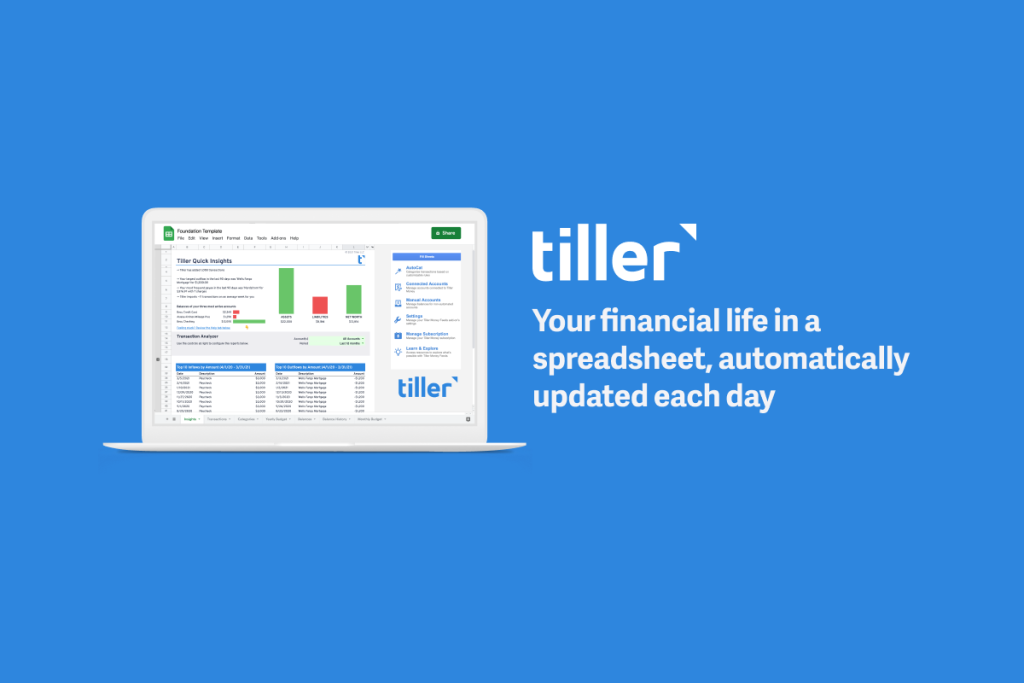
Tiller connects to over 21,000 financial institutions, securely pulling your transactions and account balances into a customizable spreadsheet. Instead of downloading CSV files or manually entering transactions, Tiller automatically updates your data every day.
Key Benefits of Automated Bank Sync:
Saves Time – No more copying and pasting transactions from different accounts.
Eliminates Errors – Avoid manual entry mistakes that could affect your budget.
Gives Real-Time Insights – See your latest transactions without delay.
Works with Multiple Accounts – Track all your bank accounts, credit cards, and loans in one place.
With these features, Tiller turns spreadsheets into a powerful, automated personal finance tool.
2. How Does Tiller’s Bank Sync Work?

Tiller makes setup simple with four easy steps:
Step 1: Connect Your Bank Accounts
- Sign in to Tiller and choose to link either Google Sheets or Microsoft Excel.
- Securely connect your bank accounts, credit cards, loans, and investment accounts.
- Tiller automatically pulls in your transactions and balances.
Step 2: Choose a Budgeting Template or Start Fresh
- Use Tiller’s pre-built templates for budgeting, expense tracking, and net worth management.
- Or customize your own spreadsheet to fit your financial goals.
Step 3: Automate Your Data Flow
- Tiller refreshes daily, syncing the latest transactions without manual updates.
- Transactions are categorized automatically, but you can customize categories to match your spending habits.
Step 4: Gain Control Over Your Finances
- View real-time spending trends, cash flow reports, and account balances.
- Set up custom alerts and get a daily email summary of new transactions.
Bonus: Unlike many budgeting apps, your data stays in your personal spreadsheet, giving you full control and privacy.
3. Why Tiller’s Bank Sync is Better Than Manual Spreadsheets
Many people still use traditional spreadsheets to track their money, manually entering transactions one by one. While this gives flexibility, it’s also time-consuming and prone to errors.
Here’s how Tiller improves traditional budgeting spreadsheets:
| Feature | Manual Spreadsheets | Tiller Automated Sync |
|---|---|---|
| Data Entry | Manual input required | Transactions auto-imported |
| Bank Connectivity | No direct connection | Syncs with 21,000+ institutions |
| Daily Updates | Needs manual refresh | Updates automatically |
| Customization | Fully customizable | Fully customizable |
| Time Efficiency | Takes hours per month | Saves hours per month |
| Error Reduction | High risk of errors | Accurate, real-time data |
With Tiller, you get all the benefits of spreadsheet budgeting without the hassle of manual entry.
4. Security and Privacy: How Tiller Protects Your Data
Financial data is sensitive, and security is a top concern for many users. Tiller does not store your banking credentials or sell your data. Instead:
- Tiller uses bank-grade encryption to securely access transactions.
- Your data stays in your own Google or Microsoft account—not on Tiller’s servers.
- Unlike other financial apps, Tiller has no ads or third-party tracking.
The result: You have full ownership of your financial information, with maximum security and privacy.
5. How to Get Started with Tiller’s Automated Bank Sync
Tiller offers a 30-day free trial, allowing you to test the automated bank sync and see how it improves your financial management. After the trial, Tiller costs $79 per year—a fraction of what you’d spend on other financial tools or manual spreadsheet time.
Step 1: Sign up at TillerHQ.com.
Step 2: Link your Google or Microsoft account.
Step 3: Connect your bank accounts and start tracking automatically.
Step 4: Customize your budgeting dashboard and take control of your money!
Final Thoughts: Why Tiller’s Bank Sync is a Game-Changer
With automated transaction syncing, daily updates, and full spreadsheet customization, Tiller is the perfect solution for anyone looking to simplify financial tracking without sacrificing flexibility.
Save time, reduce errors, and stay on top of your finances—effortlessly.
Say goodbye to manual entry and hello to automated, real-time financial tracking.
Start your free trial today and experience the power of Tiller’s Automated Bank Sync!